What is the best software for ISO 9001 quality management?
Kirjoittaja:
Ella Lindroos
Building and maintaining an ISO 9001 quality management system are goals that many organisations put a great deal of effort into. The right software choice can either make this work flow smoothly as part of everyday life — or turn it into a burden. In this blog, we explain what to expect from an ISO 9001 software and why the IMS software is the right choice for many organisations.
What should an ISO 9001 software actually do?
The ISO 9001 standard sets requirements for quality management. The standard requires that the organisation’s operations are described, documented, and that the maintenance of information is systematic.
Instead of a single Excel spreadsheet or a SharePoint folder, you need a solution that supports the building, use, and continual improvement of the entire system.
The foundation of the ISO 9001 standard is the principle of continual improvement — the PDCA model — and an ISO 9001–compliant quality management system must be able to demonstrate that the principle of continual improvement is being put into practice in your organisation.
A good ISO 9001 software meets at least these needs
| # | Feature | What it means | Everyday benefit | How does the IMS software meet this? |
|---|---|---|---|---|
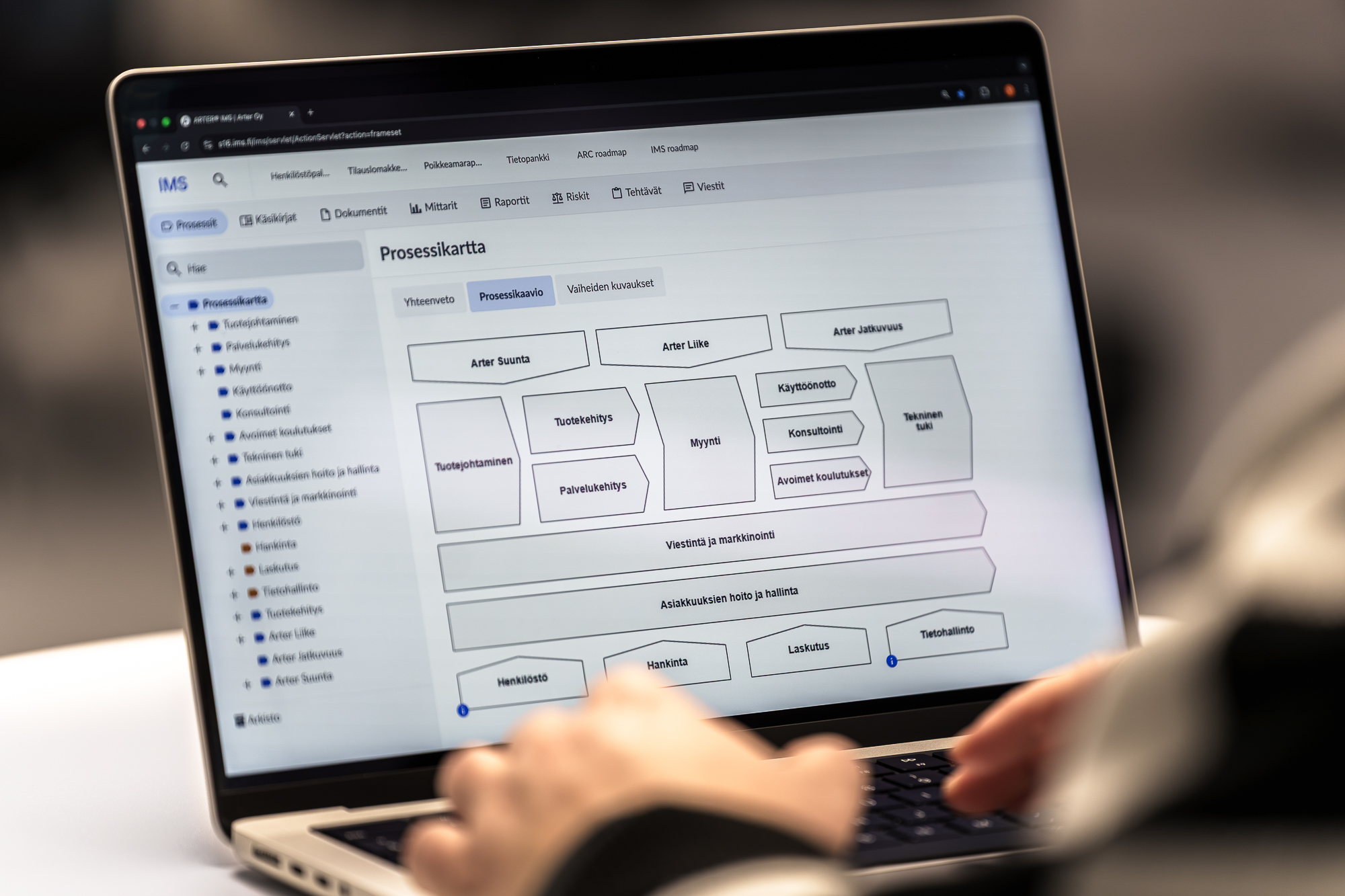
| 1 | Process description and visualisation | Tools for creating process descriptions, describing process steps, and managing connections between processes | The ability to link process descriptions to other processes, instructions, metrics, and risk management | The Processes section uses a three-page technique: process diagram, summary page, and a page describing the steps. Links between processes, documents, metrics, and risks work naturally — the diagram stays clear and the details can be found on their own pages. |
| 2 | Document management | Versioning, approval, archiving, and assignment of responsibilities as automated functions | Users are provided only with up-to-date documentation — the system reminds the responsible person to update information | The Documents section offers clear review, approval, evaluation, and versioning practices. Assignment of responsibility for different documentation stages, a hierarchical folder structure, and versatile search functions using tags and responsible persons. |
| 3 | Metrics | Building and monitoring a set of metrics to support data-driven development | The set of metrics can be found in the same system — no separate tools needed | The Metrics section makes it possible to define and monitor goals and metrics. Metrics can be maintained manually or connected to data sources such as reports, in which case the data updates automatically. A visual dashboard supports decision-making. |
| 4 | Handling of nonconformities and feedback | Systematic collection, processing, and follow-up actions | Assignment to the right people — nonconformities don’t go unaddressed | With the Reports section, you can create various form templates. From the feedback collected via forms, you can create metrics, and the feedback gathered through the forms can be assigned to a specific person. Reporting works both on computers and mobile phones, making it a natural part of daily work. |
| 5 | Risk management | Systematic identification, analysis, and assessment of risks and opportunities | Assignment of risks, evaluations, assessments, and actions to individuals or teams | The Risks section makes it possible to classify, analyse, and assess risks. Risks can be linked to processes, metrics, and manuals, which means that risk-based thinking becomes part of your organisation’s everyday work. |
| 6 | Audit support | Systematic execution of internal and external audits + verification of standard-compliant operations | The certifier can be given access to the system for the duration of the audit — making both preparation and the audit itself easier | In the IMS software, all information can be found in one place, which makes auditing straightforward. You can grant the certifier access to the system for the duration of the audit. |
| 7 | A tool for the whole organisation | A system that the entire organisation has access to, and in which the maintenance of information can be assigned | One person or team isn’t left responsible for describing the operations of the entire organisation | The IMS software is designed for use across your entire organisation. You can also restrict, through access rights, what each person sees or maintains in the software. Access rights can be set at the individual or team level. |
How do you know that the IMS software is the right choice for your organisation’s quality management system?
Choosing an ISO 9001 software is not merely a technical decision, it is a strategic choice that affects your organisation’s everyday work for years to come. Here are five perspectives that can help you evaluate whether the IMS software is right for your organisation:
1. The IMS software is built to meet the requirements of ISO standards
General document management software may support the ISO 9001 standard, but it is typically not built around its requirements. This shows later: you end up having to build separate Visio files for process descriptions, keep metrics in Excel, and have risks in their own folder. A good ISO 9001 software brings everything together.
2. You get help with both using the software and interpreting the content of the standard
Software alone is not enough — especially if your organisation lacks solid experience in quality management. We also offer consulting, training, and expert support for interpreting the standard and for documenting standard-compliant operations.
3. The IMS software helps with preparing for and succeeding in certification audits
With the IMS software, it is possible to demonstrate standard-compliant operations to a third party. With IMS, this is straightforward, because all the necessary information is in one place and information traceability is built into the software itself.
4. The IMS software scales to your organisation’s needs
At first, you may want to build only an ISO 9001–compliant quality management system. Later, you may want to extend it with an ISO 14001 environmental management system or an ISO 45001 occupational health and safety management system. The IMS software scales according to your organisation’s needs, and you can demonstrate compliance with multiple standards using the same software.
5. Post-implementation support is continuous for IMS software customers
Although the implementation of the IMS software is a project, we don’t leave our customers to their own devices afterwards. We provide continuous support also after implementation: customer service, technical support, and a dedicated account manager who knows your organisation’s situation. In addition, you can access our consultants’ help when needed, for example for updating your operations to align with new versions of standards.